Accounting software has traditionally been installed on a computer in the office. Business owners and accountants would record transactions, generate reports, and maintain financial records from that system.
But business operations have changed. Owners may need to check sales while travelling, accountants may manage clients from different locations, and finance teams may work across multiple branches.
This is where cloud accounting software becomes useful.
Cloud accounting software lets businesses manage their financial records through the internet instead of relying entirely on a specific office computer. Desktop accounting software, on the other hand, is installed locally and typically stores data on a computer or local server.
Both approaches can handle accounting tasks. The difference lies in how you access your data, collaborate with your team, manage backups, and maintain your accounting workflow.
This guide explains how cloud and desktop accounting work, their advantages and limitations, and what Indian businesses should consider before choosing between them.
What Is Cloud Accounting Software?
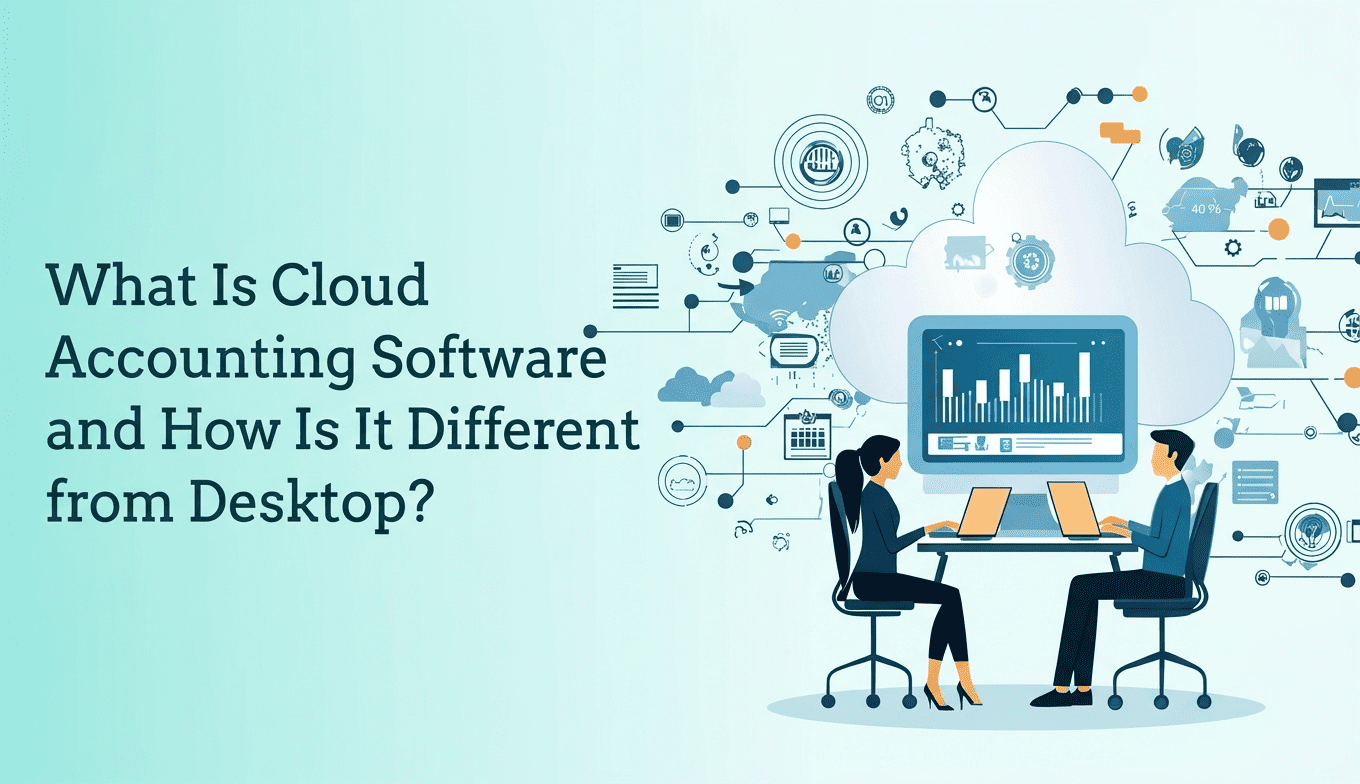
Cloud accounting software is an accounting application hosted on remote servers and accessed through an internet connection, usually using a web browser or mobile application.
Instead of keeping your accounting data exclusively on an office computer, the software stores and processes it through the provider’s cloud infrastructure.
Depending on the software, users can record sales and purchases, manage expenses, track outstanding payments, reconcile bank transactions, generate financial reports, and maintain GST related records.
Authorised users can access the same accounting data from different locations without having to transfer backup files between computers.
How Does Cloud Accounting Software Work?
The process is straightforward:
- Sign in: The business owner, accountant, or employee logs in using their authorised account.
- Record transactions: Users enter sales, purchases, expenses, receipts, and payments.
- Update financial records: The software processes transactions and updates the relevant accounts and reports.
- Access information: Authorised users can view the latest available accounting information from supported devices.
- Share access: Depending on the software, business owners can give their accountant or employees access with appropriate permissions.
For example, a wholesaler in Surat can record a sale from the office while their accountant reviews the relevant transactions from another location. Both can work with the same set of books, subject to their assigned permissions.
The business does not need to send a fresh accounting backup every time someone needs to review the records.
However, cloud access does not automatically mean every accounting task can be completed without an internet connection. Offline functionality depends on the particular software.
What Is Desktop Accounting Software?
Desktop accounting software is installed on a computer or local server. Accounting data is generally stored on that device or within the organisation’s local network.
Users typically access the software from the computer where it is installed or from other machines configured to connect to the same system.
Desktop accounting remains useful for businesses that prefer local control over their accounting environment, have established workflows, or need to work in locations where internet connectivity is unreliable.
For example, a small shop with one billing computer and a stable, well-managed local setup may have little immediate reason to replace its existing desktop software.
However, accessing the same records from another location can require additional configuration, remote access, synchronisation, or a hosted setup.
Desktop software is not necessarily limited to one computer. Multi-user desktop systems and remote hosting are available, but their capabilities depend on the product and configuration.
Cloud vs Desktop Accounting: What Is the Difference?
The main difference between cloud and desktop accounting is where the application runs, how financial data is stored, and how users access it.
Cloud accounting is generally designed for online access and collaboration. Desktop accounting usually relies on a locally installed application and local or organisation-managed storage.
Here is a practical comparison.
| Comparison Factor | Cloud Accounting Software | Desktop Accounting Software |
|---|---|---|
| Installation | Usually accessed through a browser or app | Installed on a computer or local server |
| Data storage | Hosted on the provider’s cloud infrastructure | Generally stored locally or on an organisation-managed server |
| Remote access | Usually available through the internet | May require remote access tools or additional configuration |
| Multiple users | Often supports online collaboration with user permissions | Depends on the software, network setup, and licence |
| Internet dependency | Generally requires internet access | Core functions may work offline, depending on the application |
| Software updates | Often managed by the provider | May require manual updates or administrator involvement |
| Data backups | May include provider-managed backups; policies vary | Often requires a separate backup process or configured backup system |
| Collaboration with a CA | Can allow direct access to shared books | May require file transfers, remote access, or a connected multi-user setup |
| Initial costs | Often subscription-based | May involve a licence, maintenance, hosting, or support costs |
| Data control | Depends on the provider’s storage, export, and access policies | Can offer greater direct control over locally stored data |
| Maintenance | Much of the infrastructure maintenance is handled by the provider | More maintenance may fall on the business or its IT team |
| Best suited for | Businesses needing remote access and shared workflows | Businesses preferring local operations or requiring specific offline workflows |
Neither option is automatically better for every business.
A company with multiple branches and a distributed finance team may benefit from cloud accounting. A small operation with limited connectivity and a well-maintained local system may prefer desktop software.
The right choice depends on how the business actually operates.
7 Benefits of Cloud Accounting Software for Indian Businesses
Cloud accounting offers several practical advantages, particularly when business owners, accountants, and employees need to work with the same financial information.
1. Access Accounting Data from Different Locations
With cloud accounting, authorised users can generally access their books through an internet-connected device.
A business owner can review outstanding customer payments while travelling. A finance manager can check sales figures from another branch. A Chartered Accountant can review accounting records without waiting for a backup file.
This is especially useful for businesses operating across multiple locations.
The exact devices and access options depend on the software.
2. Improve Collaboration Between Businesses and CAs
Many businesses maintain their accounting records internally but depend on a Chartered Accountant for tax related work, reconciliations, financial reporting, and compliance support.
When accounting records are maintained in a shared cloud system, the business and its CA may be able to work with the same data.
This can reduce the need to exchange accounting files repeatedly and help both parties identify missing entries earlier.
However, shared access does not eliminate the need for proper documentation, transaction verification, or communication.
3. Reduce Dependence on Manual Backups
Desktop accounting often requires a defined backup routine. Someone must create backups, store them securely, and check that the files can be restored when needed.
Cloud accounting providers may manage backups as part of their infrastructure.
Before selecting a product, check how frequently backups are created, how long they are retained, whether recovery is supported, and whether you can export your own records.
A cloud system is not automatically protected against every form of data loss simply because it is hosted online.
4. Access More Up-to-Date Financial Information
When transactions are entered correctly and promptly, cloud accounting can make current financial information available to authorised users without waiting for someone to send a revised file.
For example, a business owner can review customer outstanding balances before approving another credit sale.
Similarly, a finance manager can examine expenses and sales before making purchasing decisions.
The usefulness of these reports still depends on timely data entry and correct accounting practices.
5. Simplify Software Maintenance
Cloud software providers generally manage application updates and much of the underlying infrastructure.
Businesses may therefore have fewer installation and maintenance tasks to handle themselves.
This can be helpful when several employees use the system or when accounting software needs regular improvements.
However, businesses should still review release notes, user settings, compatibility requirements, and any changes affecting their workflow.
6. Support Multi-Branch Operations
Businesses with multiple branches need a reliable way to record transactions and monitor financial performance.
Depending on the product, cloud accounting software may support multiple business locations, branch-wise reporting, and consolidated financial views.
For example, a distributor operating from Surat and Ahmedabad may want to compare branch sales and outstanding customer balances.
Before choosing a system, verify whether branch management is included, whether separate licences are required, and how consolidated reporting works.
Not every cloud accounting product supports these capabilities in the same way.
7. Support Accounting and GST Workflows
For Indian businesses, accounting software often needs to support more than recording income and expenses.
Depending on the business and its compliance requirements, relevant capabilities may include GST tax calculations, tax reports, GSTR-related data preparation, e-invoicing support, and e-way bill generation.
Cloud accounting can make software maintenance easier because providers can manage application updates centrally. However, cloud hosting alone does not guarantee GST compliance.
Businesses should verify that the product supports their specific requirements and that its compliance features are maintained appropriately.
For official information on electronic invoicing, businesses can consult the GST e-Invoice System.
Are There Any Disadvantages to Cloud Accounting?
Cloud accounting has clear advantages, but businesses should understand its limitations before switching.
Dependence on Internet Connectivity
Most cloud accounting applications require a working internet connection.
If the connection becomes unreliable, users may be unable to access the system or complete certain tasks.
Businesses operating in areas with inconsistent connectivity should check whether the software offers offline functionality, how synchronisation works, and what happens when the connection is interrupted.
Subscription Costs
Cloud accounting products commonly use monthly or annual subscriptions.
The initial cost may be manageable, but the total expense can increase when additional users, branches, storage, integrations, or advanced features are required.
Compare the total cost over several years rather than looking only at the starting price.
Data Security and Provider Dependence
Cloud accounting means entrusting financial data to a service provider.
That makes security controls, availability, backup policies, and data portability important selection criteria.
Before subscribing, check:
- Whether data is encrypted during transmission and storage.
- Whether multi-factor authentication is available.
- Whether employees can be assigned different access permissions.
- How backups and disaster recovery are managed.
- Where data is stored and which contractual terms apply.
- How you can export your records if you leave the service.
- What happens to your data when your subscription ends.
These checks are necessary because cloud providers differ in their security arrangements and service commitments.
Migration Takes Planning
Moving from desktop software to cloud accounting is not simply a matter of uploading a file.
Businesses may need to transfer customer and supplier details, account ledgers, opening balances, inventory records, and historical transactions.
Data formats may differ between systems, so some information may require cleaning or manual verification.
A planned migration is safer than switching during a busy reporting or financial closing period.
Is Cloud Accounting Software Safe for Financial Data?
Cloud accounting software can be secure, but its safety depends on the provider’s security practices, the configuration of the account, and how users handle their credentials.
Storing data locally does not automatically make desktop software safer. Similarly, storing it online does not guarantee that it is protected against every threat.
Businesses should evaluate security using specific, verifiable controls rather than relying on general marketing claims.
What Should You Check?
Encryption: Find out whether information is encrypted during transmission and while stored.
Access permissions: Check whether users can be restricted to the information and actions relevant to their roles.
Multi-factor authentication: Look for additional login verification beyond a password.
Backups and recovery: Confirm how data is backed up and how restoration works after accidental deletion or a technical failure.
Audit logs: Check whether the system records important user activities and changes to financial records.
Data export: Ensure you can retrieve accounting records in usable formats.
Support and availability: Review the provider’s service commitments, incident-handling process, and support arrangements.
For Indian businesses, data protection obligations should also be considered in the context of applicable law and the organisation’s actual data processing activities. The Digital Personal Data Protection Act, 2023 is an official starting point for understanding India’s personal data protection framework. Its applicability and relevant obligations should be assessed against current commencement notifications and rules.
Ultimately, businesses should choose a provider whose security arrangements they can evaluate and whose contractual commitments meet their requirements.
Practical Example: A Business Switching from Desktop to Cloud Accounting
Illustrative example – not a real customer case study.
Consider a wholesale trading business operating from Surat, Gujarat.
The company uses desktop accounting software in its main office. Its sales team visits customers, warehouse staff maintain stock records, and the business owner regularly asks the accountant for sales and outstanding payment reports.
Situation
The company records transactions on its office computer. Employees share supporting documents through messaging applications and spreadsheets.
Problem
The owner cannot easily review the latest figures while travelling. The accountant sometimes receives accounting files after a delay, and staff must confirm whether they are working with the latest version.
The problem is not necessarily the accounting calculations. It is the process of keeping information accessible and consistent.
Action
The company evaluates cloud accounting software and checks whether it supports its required billing, inventory, reporting, and GST workflows.
Before switching, the team:
- Cleans customer, supplier, and product records.
- Verifies opening balances and outstanding invoices.
- Transfers the required data into the new system.
- Assigns appropriate permissions to employees and the accountant.
- Tests sample invoices, reports, and tax calculations.
- Compares results with the existing desktop records before making the new system the primary source of information.
Result
If the implementation is successful, the owner and accountant can access the same current records without depending on routine backup-file transfers.
The business can also establish a more consistent process for recording transactions and reviewing outstanding payments.
The actual improvement depends on data quality, employee adoption, the selected software, and how well the new workflow is implemented.
Lesson
Cloud accounting is most useful when it solves a specific operational problem.
Businesses should not switch simply because cloud technology is newer. They should switch when the benefits of shared access, maintenance, reporting, or collaboration justify the cost and implementation effort.
How to Choose Cloud Accounting Software in India
The right accounting software should match your business model, compliance requirements, team structure, and budget.
Use the following checklist before making a decision.
1. Identify Your Accounting Requirements
List the tasks you need the software to handle.
These may include:
- Sales and purchase invoicing.
- Expense recording.
- Customer and supplier outstanding reports.
- Bank reconciliation.
- Profit and loss statements.
- Balance sheets.
- Inventory tracking.
- GST reports and return-related data.
- E-invoicing and e-way bill workflows, where applicable.
- Multi-branch or multi-business reporting.
Separate essential requirements from features that would simply be convenient.
2. Check Access and Collaboration
Ask how many users need access and where they work.
If your CA, sales team, and finance staff work from different locations, check whether the software allows them to use the same records with separate accounts and appropriate permissions.
Also confirm whether mobile access is available if employees need to review transactions or create bills away from the office.
3. Calculate the Total Cost
Compare the full cost of operating each system.
Include:
- Software licences or subscriptions.
- Additional user charges.
- Branch or business add-ons.
- Implementation and data migration.
- Training and support.
- Third-party integrations.
- Backup, hosting, and maintenance costs, where applicable.
A low starting price does not necessarily mean a lower long-term cost.
4. Evaluate Security and Data Portability
Ask how the provider protects data, manages backups, and handles account termination.
Check whether your business can export its records without depending indefinitely on the provider.
You should understand how you would access your financial history if you decided to change software later.
5. Test the Software Before Switching
Use a trial or demonstration to test your real workflows.
Create a sample sales invoice, record a purchase, review an outstanding balance, and generate the reports your business uses regularly.
If GST is relevant, test the applicable tax calculations and reporting process.
A system that looks simple during a demonstration may still require additional steps in daily operations. Test the work your employees actually perform.
How WebLedger Books Fits into Cloud Accounting
Businesses looking for cloud accounting software in India should evaluate whether a platform can bring everyday accounting, billing, inventory, and GST related work into a practical workflow.
WebLedger Books is a cloud accounting product designed for business accounting and GST related workflows.
Its relevant capabilities include:
- Accounting and financial reports: View profit and loss statements and balance sheets.
- GST workflows: Access GST reports and work with GSTR-1 related data.
- Billing: Create sales and purchase bills.
- E-invoicing and e-way bills: Support these workflows through the product’s available functionality and applicable configuration.
- Inventory management: Track stock information and review low-stock alerts.
- Multi-business and branch operations: Support these requirements according to the selected configuration.
- Mobile access: Use supported mobile functionality to view transactions and create or share bills.
These capabilities may be useful for business owners who want to manage accounting and billing without depending entirely on a single office computer.
However, the suitability of any accounting product depends on the user’s exact requirements. Businesses should verify the availability of specific features, applicable plan limits, integration requirements, and pricing before subscribing.
You can explore WebLedger to learn more about its accounting products.
Cloud or Desktop Accounting: Which One Should You Choose?
Choose cloud accounting if your business needs remote access, shared accounting records, collaboration with your CA, or access to financial information across branches.
Desktop accounting may be a better fit if your operations depend on offline access, your existing system meets your requirements, or you need a locally managed environment for specific technical or operational reasons.
Before deciding, ask yourself five questions:
- Do employees or accountants need access from different locations?
- How important is working with shared, current accounting records?
- Can the business tolerate interruptions caused by internet connectivity?
- Does the software meet your accounting, inventory, and GST requirements?
- What are the total costs of implementation, maintenance, subscriptions, and support?
If your current desktop system works reliably and meets all your requirements, there may be no immediate reason to replace it.
If sharing files, maintaining backups, accessing records remotely, or managing multiple branches has become difficult, cloud accounting is worth evaluating.
The best accounting software is the one that supports accurate records, fits your daily workflow, protects your financial information, and allows your business to operate efficiently.
Frequently Asked Questions
Cloud accounting software is an application hosted on remote servers that users access through the internet. It helps businesses record transactions, manage accounts, and generate financial reports from supported devices.
Cloud accounting is generally accessed online, with data hosted by a service provider. Desktop accounting is installed locally and typically stores data on a computer or local server.
Yes. It can suit small businesses that need accessible accounting records, billing, financial reporting, and collaboration with their accountant. The right choice depends on the business’s requirements, budget, and internet connectivity.
Most cloud accounting applications require an internet connection for normal use. Offline capabilities vary by provider, so check whether essential tasks can continue during a connection failure.
Neither option is automatically safer. Security depends on factors such as encryption, access controls, authentication, backups, device security, and the provider’s overall practices.
Many cloud accounting products support remote access for authorised accountants. Available permissions and collaboration features depend on the software and the account configuration.
Many products offer GST-related features, but the available functions differ. Check whether the software supports your specific invoicing, reporting, reconciliation, e-invoicing, and e-way bill requirements.
Not necessarily. Cloud software often uses subscriptions, while desktop software may involve licences, maintenance, hosting, and backup costs. Compare the total cost over the period you expect to use the system.
Usually, yes, but the process depends on the source and destination software. You may need to clean and map records, transfer opening balances, verify outstanding invoices, and reconcile reports before completing the migration.
Compare accounting features, GST requirements, inventory capabilities, user access, security, data export, support, and total cost. Test the software with realistic transactions before moving your business’s accounting records.