Creating a GST invoice takes more than typing in a customer’s name and adding prices. You need the right GSTIN, HSN or SAC code, tax rate, invoice number and a few other mandatory details, or your records won’t hold up.
In this Blog you will learn how to create a GST invoice using accounting software. It’s meant for small business owners, traders, wholesalers and finance teams who want to make GST billing simpler and cut down on manual errors.
What Is a GST Invoice?
A GST invoice is the document a GST registered supplier issues when selling taxable goods or services. It shows the transaction value, the GST charged, the supplier’s details and the customer’s details.
Section 31 of the CGST Act and Rule 46 of the CGST Rules lay out what a tax invoice must contain. The invoice also matters to the buyer, because they need it to claim eligible Input Tax Credit (ITC).
How to Create a GST Invoice in Accounting Software?
The process is much the same in most accounting software. Here are the steps.
Step 1: Set Up Your Business Details
You have to fill in your business profile in the software before you start making the first invoice.
Enter the following:
- Registered business name
- Business address
- GSTIN
- State and state code
- Contact details
- Bank account details (where required)
Double check your GSTIN and registered business details. Once they’re saved, they usually appear on every invoice automatically.
Step 2: Add Customer Details
Pick an existing customer or create a new profile.
Enter:
- Customer or business name
- Billing address
- Shipping address, if it’s different
- Customer GSTIN, if they are registered
- State and state code
If the customer is registered, verify their GSTIN before you generate the invoice. A wrong detail here tends to cause trouble later, during GST return reconciliation.
Step 3: Add Products or Services
Select what you are selling.
For each item, enter:
- Product or service description
- HSN or SAC code
- Quantity and unit of measurement, where applicable
- Selling price
- Applicable GST rate
Most accounting software lets you save product details in advance. That saves you from typing the same things again and again, and it keeps your tax rates consistent.
Step 4: Select the Applicable GST Rate
Choose the GST rate that matches the classification of your goods or services.
How the tax is calculated depends on the place of supply:
| Type of Transaction | Applicable Tax |
| Intra-state supply | CGST + SGST |
| Inter-state supply | IGST |
For example, if a Gujarat based business sells taxable goods to a customer in Gujarat, CGST and SGST generally apply.
If the same business sells to a customer in Maharashtra, IGST generally applies.
Always check the tax rate and the place of supply rules before you finalise the invoice.
Step 5: Check the Invoice Amount and Tax Calculation
After you add the items, the software works out the taxable value and the GST.
Go through these figures:
- Total product or service value
- Discounts, if any
- Taxable amount
- CGST, SGST or IGST
- Additional charges, where applicable
- Final invoice amount
Also confirm whether the price you entered is GST inclusive or GST exclusive. Picking the wrong option throws off the tax calculation.
Step 6: Generate the Invoice Number
Every tax invoice needs a consecutive serial number that is unique within the financial year.
Accounting software usually lets you set up your own numbering series, using prefixes, suffixes or a starting number.
For example:
- INV/26-27/001
- INV/26-27/002
- INV/26-27/003
Make sure your numbering follows the GST invoice requirements.
Step 7: Review and Generate the GST Invoice
Before you save, go through all the mandatory details once more.
Your invoice should carry the applicable particulars, such as:
- Supplier name, address and GSTIN
- Unique invoice number and date
- Customer details and GSTIN, where applicable
- HSN or SAC code
- Description and quantity
- Taxable value
- Applicable GST rate and tax amount
- Place of supply for inter-state transactions
- Reverse charge declaration, where applicable
- Supplier’s signature or digital signature, as required
After that, save the invoice and download it or send it to your customer.
Common Mistakes to Avoid While Creating GST Invoices
Even with accounting software, a wrong setting or a data entry slip can lead to billing errors.
Watch out for these:
- Incorrect GSTIN: A wrong customer GSTIN can affect invoice reporting and reconciliation. Verify it before you bill.
- Wrong GST rate: The wrong rate means the wrong tax liability. Check the classification of what you’re selling.
- Incorrect place of supply: Charging CGST and SGST where IGST applies, or the other way round, can create compliance issues.
- Duplicate invoice numbers: Reusing a number makes it harder to keep proper financial records.
- Missing HSN/SAC codes: If the classification is missing or wrong, the invoice is incomplete.
- Ignoring e-invoice requirements: If your business falls under e-invoicing, you must generate the Invoice Reference Number (IRN) through the prescribed system.
How Does Accounting Software Simplify GST Invoicing?
Preparing invoices by hand means entering the same data repeatedly, calculating taxes yourself and keeping records separately. Accounting software brings all of that into one workflow.
| Manual GST Billing | Accounting Software |
| Repeated customer data entry | Saved customer profiles |
| Manual tax calculations | Automatic tax calculations |
| Manual invoice numbering | Configurable invoice series |
| Separate invoice records | Centralised invoice records |
| Manual report preparation | GST reports and organised transaction data |
Good software can also link invoicing with inventory, accounting, outstanding payments and GST reporting.
How WebLedger Helps with GST Invoicing
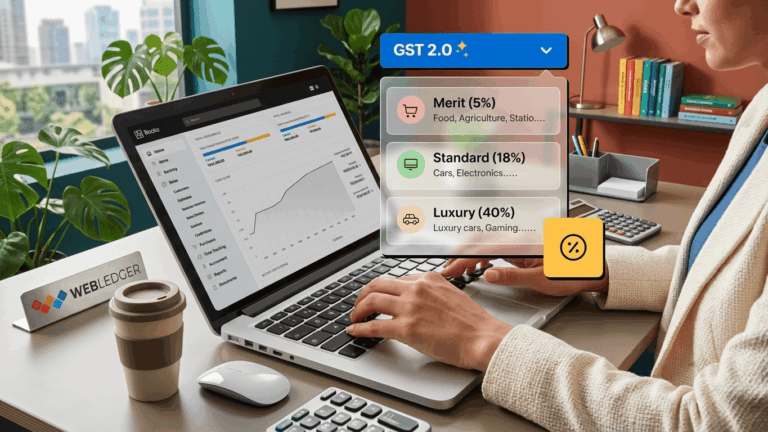
WebLedger is cloud accounting software that lets businesses handle billing, GST and accounting from a single platform.
With it, businesses can:
- Create GST sales invoices.
- Manage customer and product details.
- Generate e-invoices and e-way bills through supported functionality.
- Access GST reports and GSTR-1 data.
- Track business transactions and outstanding payments.
- View financial reports, including Profit & Loss and Balance Sheet.
For traders, wholesalers and growing businesses, having GST billing connected to accounting and inventory makes day-to-day financial work easier to manage.
Example Scenario: GST Billing for a Trading Business
Take a trading business that sells products to customers in different Indian states.
Its accounts team prepares several invoices every day. Earlier, the staff typed in customer details by hand, calculated GST themselves and kept invoice records in spreadsheets.
Once they move to accounting software, the business can keep customer and product records in one place, generate invoices from the saved information and organise its sales transactions for GST reporting.
The lesson: GST invoicing gets easier when customer information, product details, tax calculations and accounting records all live in one system.
Frequently Asked Questions (FAQs)
How do I create a GST invoice?
Log in to your accounting software, select the customer, add the products or services, enter the GST rates, check the tax calculations and generate the invoice.
Can I create a GST invoice without accounting software?
Yes. You can prepare GST invoices manually in a suitable format, as long as you meet all the applicable GST requirements.
What details are mandatory on a GST invoice?
A GST invoice generally needs the supplier’s details, GSTIN, invoice number, date, customer details where applicable, HSN/SAC code, taxable value, tax rate and tax amount.
Can accounting software calculate GST automatically?
Yes. Most accounting software calculates GST from the tax rate and transaction details you select, as long as the settings are configured correctly.
What is the difference between CGST, SGST and IGST?
CGST and SGST generally apply to intra-state supplies, while IGST generally applies to inter-state supplies.
Is HSN code compulsory on every GST invoice?
It depends on the applicable GST rules and the taxpayer’s category. Check the current requirements for your business.
Is HSN code compulsory on every GST invoice?
It depends on the applicable GST rules and the taxpayer’s category. Check the current requirements for your business.
Can I generate GST invoices for services?
Yes. GST registered service providers can issue tax invoices with the service description, SAC codes, taxable values and GST details.
What is an e-invoice under GST?
An e-invoice is a prescribed invoice whose specified details are authenticated on the GST Invoice Registration Portal (IRP), which generates an Invoice Reference Number (IRN).
Can I edit a GST invoice after generating it?
Once an invoice has been reported, it generally can’t just be edited on the GST portal. Depending on the situation, you may need to report an amendment or issue a credit or debit note.
Which accounting software is suitable for GST invoicing?
Pick software that supports GST billing, automatic tax calculations, invoice numbering, GST reports and any e-invoicing requirements that apply to you. It should also suit the size of your business and your accounting needs.