Starting a business or expanding into new markets? Understanding GSTIN is an important step towards managing your tax responsibilities correctly.
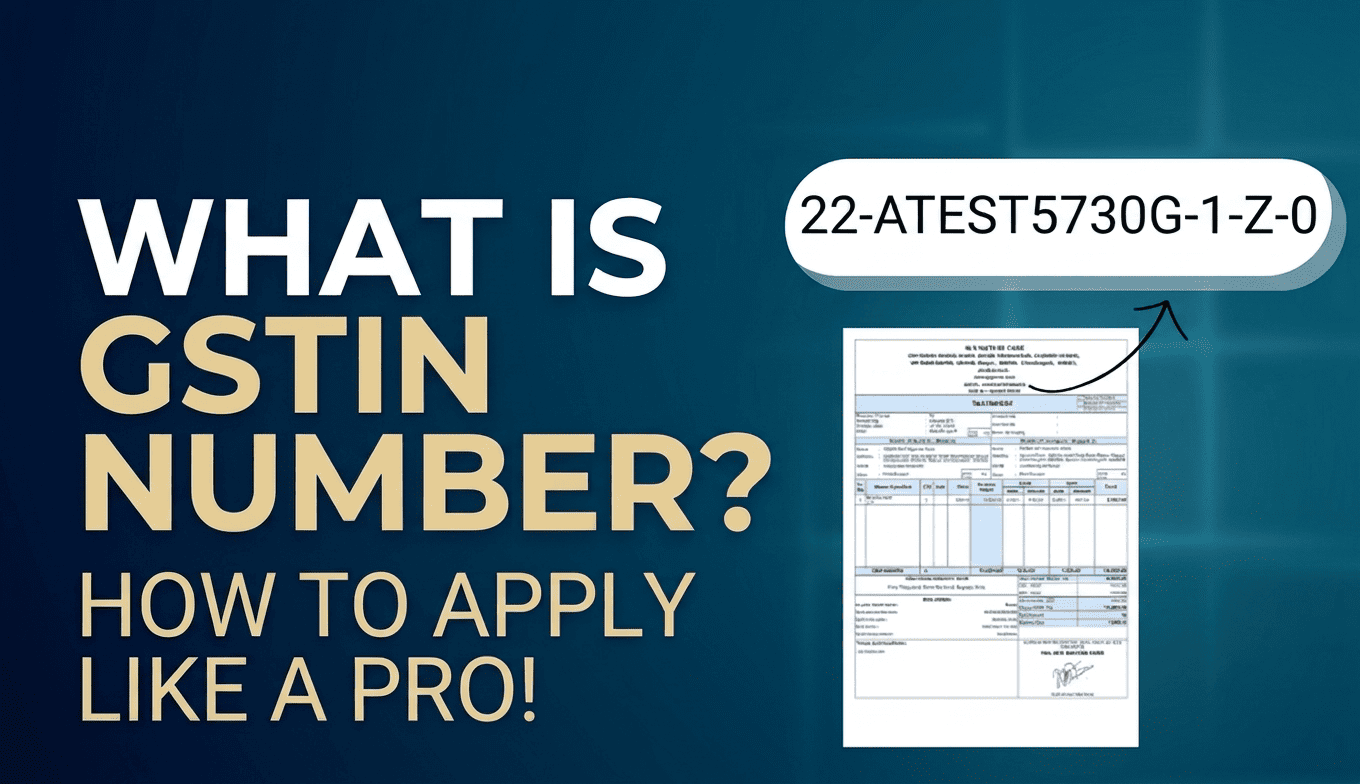
A GSTIN (Goods and Services Tax Identification Number) is a unique 15 character identification number assigned to a business registered under India’s GST system. It helps identify registered taxpayers and is used for GST invoices, returns, and other tax-related activities.
In this guide, you will learn what a GSTIN number means, who needs it, how to apply online, which documents are required, and how to avoid common registration mistakes.
What Is a GSTIN Number?
A GSTIN is a unique 15 character alphanumeric number issued to a registered taxpayer under the Goods and Services Tax (GST) system in India.
Businesses use their GSTIN to identify themselves in tax transactions, issue GST compliant invoices, file returns, and manage other GST related compliance requirements.
For example, a business selling taxable goods may need GST registration once it becomes liable under the applicable rules. After registration is approved, it receives a GSTIN that can be used for its registered business activities.
What Does a GSTIN Number Look Like?
A GSTIN contains 15 characters, and each part has a specific purpose.
| Characters | Meaning |
|---|---|
| First 2 digits | State code |
| Next 10 characters | PAN of the taxpayer |
| Next 2 characters | Entity code for registrations under the same PAN in a state |
| Last character | Checksum character used for validation |
This structure helps identify the taxpayer’s state and link the registration to the relevant PAN.
Who Needs a GSTIN Number?
GST registration is mandatory for businesses and individuals who meet the applicable conditions under GST law.
You may need GST registration if:
- Your aggregate annual turnover exceeds the applicable registration threshold.
- You fall under a category that requires compulsory registration under GST law.
- Your business activities or transactions trigger a specific registration requirement.
- You voluntarily choose to register, even when registration is not compulsory.
The applicable turnover threshold depends on factors such as the nature of your business, the state or Union Territory, and whether you supply goods or services. Certain exceptions also apply.
Important: Do not assume that every business crossing a particular turnover limit must register, or that every small business is exempt. Check the rules applicable to your business before deciding.
How to Apply for a GSTIN Number Online
You can apply for GST registration through the official GST Portal. The application is filed electronically using Form GST REG-01.
Follow these steps.
Step 1: Open the GST Portal
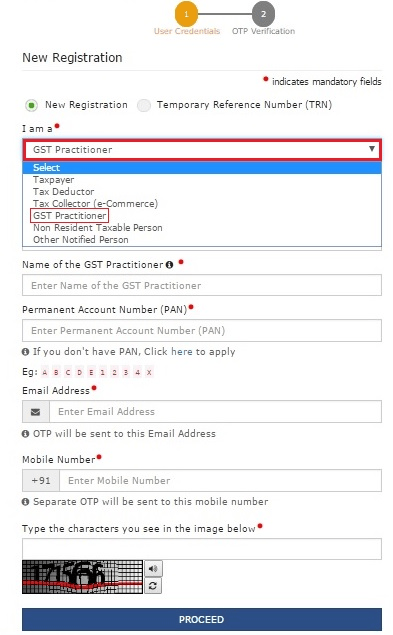
Visit the GST Portal and navigate to Services > Registration > New Registration.
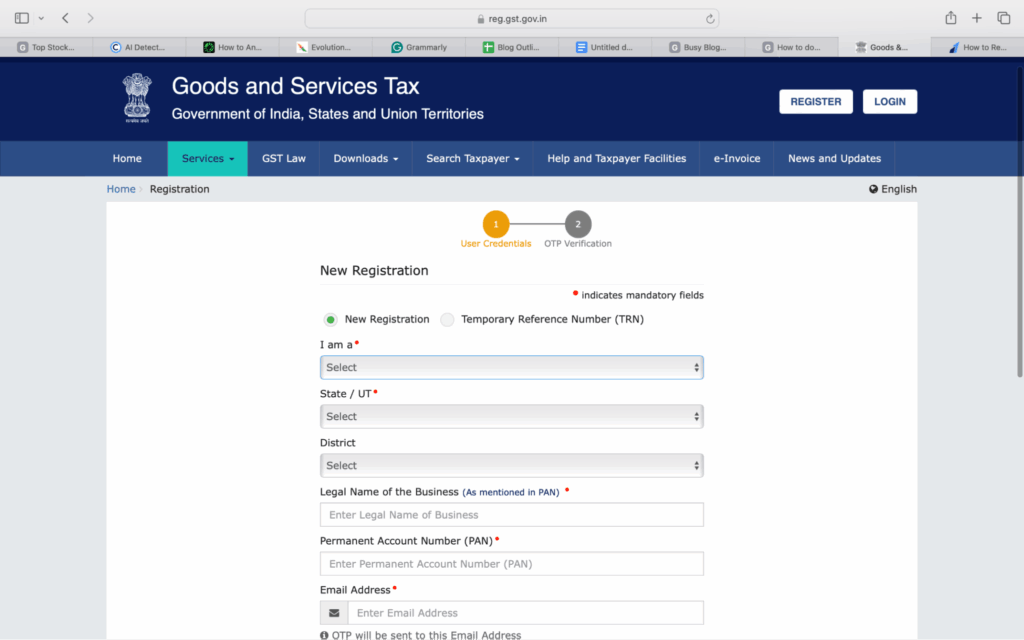
Select the appropriate taxpayer category and enter your state or Union Territory, district, legal business name, PAN, email address, and mobile number.
Step 2: Verify Your Contact Details
The portal sends separate OTPs to the registered email address and mobile number entered in the application.
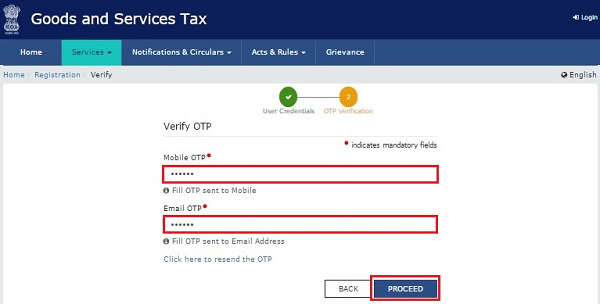
Complete the verification to generate a Temporary Reference Number (TRN). Keep this number safe because you will need it to access your saved application.
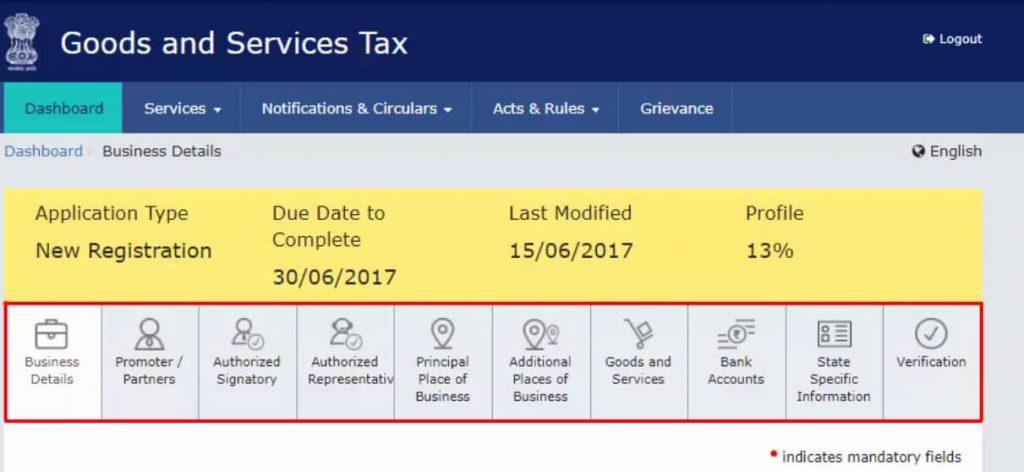
Step 3: Complete the Registration Application
Log in using your TRN and complete the application details.
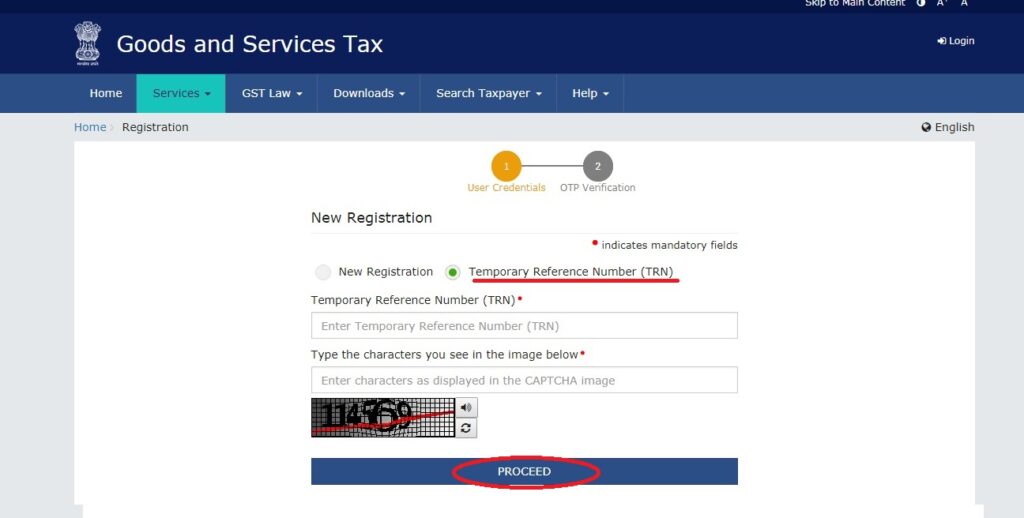
Depending on your business structure, you may need to provide information about:
- Business name and constitution
- Proprietor, partners, or directors
- Authorised signatory
- Principal and additional places of business
- Nature of business activities and goods or services supplied
Review each section carefully before proceeding.
Step 4: Upload the Required Documents
Upload the documents applicable to your business and complete the required verification procedures.
Make sure the uploaded documents are clear, valid, and consistent with the details entered in your application.
Step 5: Submit and Track Your Application
Complete the applicable verification process and submit the application.
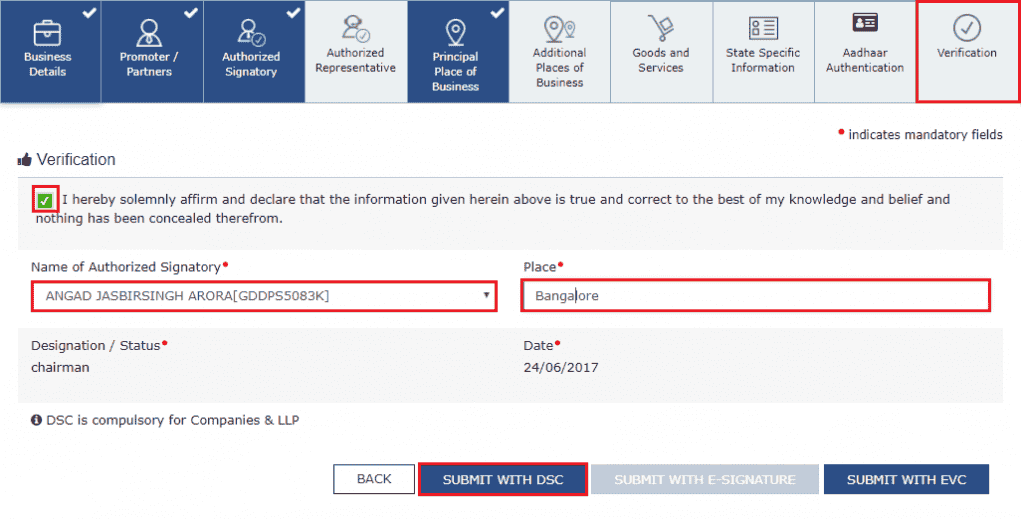
After successful submission, you receive an Application Reference Number (ARN), which you can use to track the application status on the GST Portal.
If the tax officer requests additional information or clarification, respond within the specified time.
Once the application is approved, your GSTIN and registration certificate become available through the portal.
What Documents Are Required for GST Registration?
The exact documents depend on your business structure and circumstances. Common requirements include:
- PAN: PAN of the proprietor or the relevant business entity, as applicable.
- Identity and address proof: Documents for the proprietor, partners, directors, or authorised signatory, as required.
- Business address proof: Such as an electricity bill, property tax receipt, or other accepted evidence.
- Ownership or consent documents: Depending on whether the premises are owned, rented, or used with the owner’s consent.
- Business constitution documents: Such as a partnership deed or certificate of incorporation, where applicable.
- Bank details: Keep relevant account information available if required for your application or subsequent compliance.
Check the latest document requirements on the GST Portal before applying.
Common GSTIN Application Mistakes to Avoid
Even a straightforward application can face delays if the information is incorrect.
- Incorrect PAN or business name: Ensure the details match the relevant PAN records.
- Wrong business address: Provide accurate address details and suitable supporting documents.
- Unclear document uploads: Upload readable documents in the format accepted by the portal.
- Ignoring verification requests: Monitor your registered email and mobile number for OTPs and application updates.
- Assuming GSTIN approval is automatic: Submission does not mean registration has been granted. Track your ARN and respond to official queries.
Taking a few minutes to review your application can help prevent avoidable errors.
Example Scenario: A Small Business Applying for GST Registration
Consider a small electronics trader whose business becomes liable for GST registration.
The owner gathers the required PAN, business address proof, and other applicable documents. They apply through the GST Portal, verify their contact details, submit the application, and track its progress using the ARN.
After approval, the trader receives a GSTIN and can undertake the activities permitted under the registration, including issuing applicable GST invoices.
The lesson: Preparing accurate information before starting the application makes the process easier to manage.
How WebLedger Can Help After GST Registration
Obtaining a GSTIN is only one part of running a registered business. You also need to maintain accurate invoices, monitor transactions, and keep your accounting records organised.
WebLedger Books is cloud accounting software designed to help businesses manage accounting and GST related workflows. Its capabilities include GST invoicing, GST reports, and financial reports such as profit and loss statements and balance sheets.
For small businesses and growing teams, maintaining invoices and accounting records in an organised system can make day-to-day financial management easier.
Remember that accounting software supports your workflow; it does not replace the need to understand your registration obligations or meet applicable GST filing deadlines.
Frequently Asked Questions
GSTIN stands for Goods and Services Tax Identification Number. It is a unique 15-character number assigned to a registered taxpayer.
No. GST registration is mandatory only when the applicable legal conditions are met. Some businesses may qualify for an exemption.
Visit the official GST Portal, select New Registration, complete Form GST REG-01, submit the required information, and track your application.
Yes. The government does not charge a registration fee for applying for GST registration through the official portal. Professional assistance, if used, may cost extra.
A GSTIN contains 15 alphanumeric characters.
The processing time depends on the application, verification requirements, and whether clarification is requested. Check your application status on the GST Portal for updates.
Generally, PAN is mandatory for regular GST registration. Specific exceptions may apply to certain categories, such as non-resident taxable persons.
Yes. A business operating in multiple states may need separate registrations in the relevant states. Additional registrations within a state may also be permitted under applicable rules.
Visit the GST Portal and use the relevant registration tracking or taxpayer search facility to check the application or registration details.
Download your registration certificate, verify the registration details, display your GSTIN where legally required, and maintain proper invoices and accounting records. Follow the GST return and payment requirements applicable to your business.