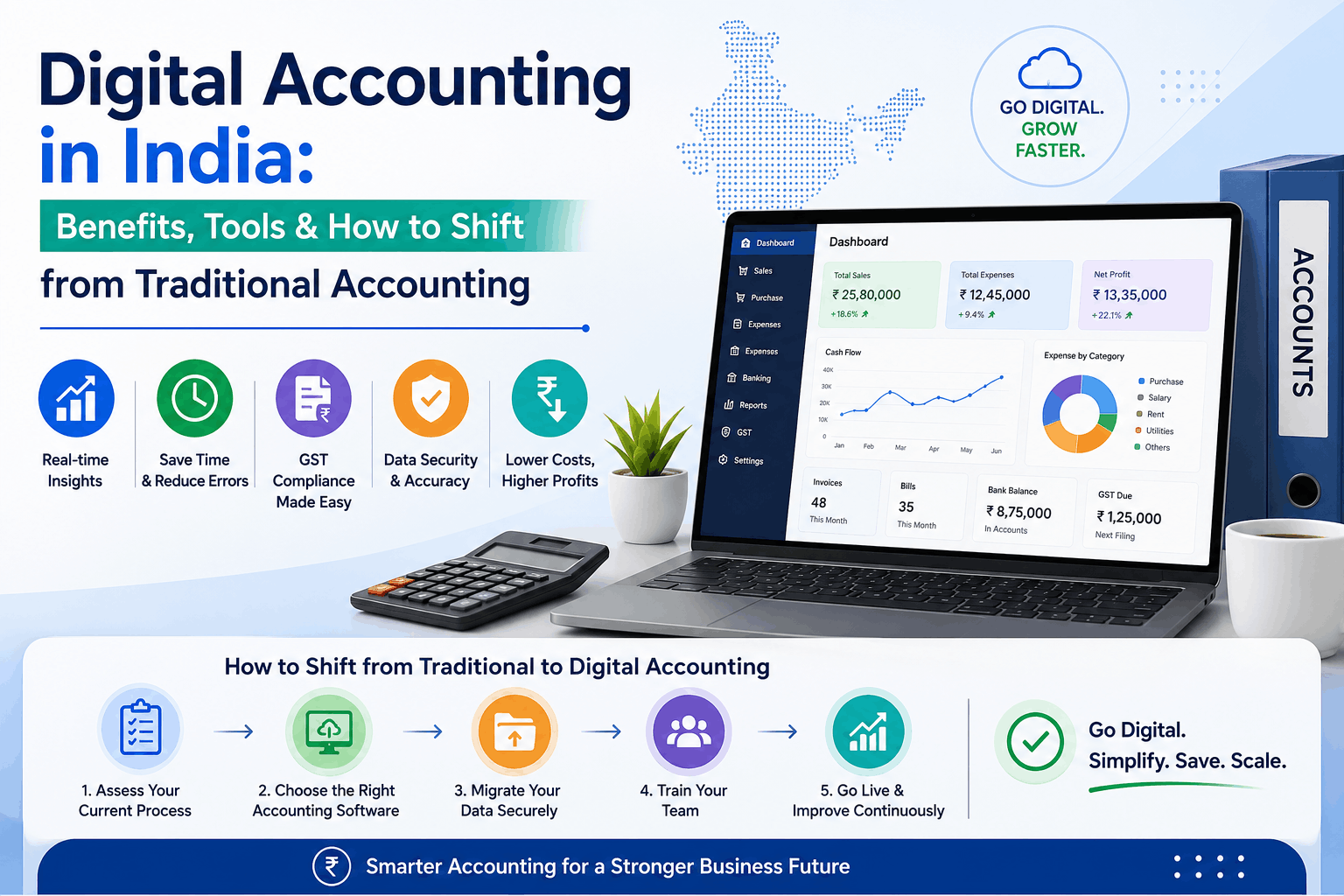
Walk into any CA’s office in a Tier-2 city today, and you’ll still find thick registers, a printer running non-stop, and someone manually punching invoices into a desktop software that was last updated in 2018. It’s not that they don’t know better. Most do. The real issue is that switching feels risky – what if data gets lost? What if the team can’t adapt?
That hesitation is understandable. But digital accounting in India has come far enough that the risk of not switching is now higher than the risk of switching.
Let’s break this down practically.
What Digital Accounting Actually Means
Digital accounting isn’t just about replacing paper with a screen. It’s about shifting your entire financial workflow – from invoicing and tax filing to reconciliation and reporting – into a connected, automated system.
With online accounting software India businesses are using today, most of these tasks happen in real time, with minimal manual input. Think auto-fetched bank entries, one-click e-invoices, GSTR2B reconciliation that doesn’t take three days – that kind of thing.
Digital accounting in India is growing fast, especially after GST compliance made manual tracking genuinely painful. The businesses that adopted early are now spending far less time on month-end chaos.
Why Indian Businesses Are Finally Making the Switch
GST Changed Everything
Before GST, accounting errors were irritating. After GST, they’re expensive. Mismatches between GSTR-1 and GSTR-3B, missed ITC claims, late filing penalties – the stakes got real. Cloud accounting software India businesses trust now handles most of this automatically, flagging discrepancies before they become notices.
The Remote Work Push
Post-pandemic, CAs and finance teams can’t always be in the same room. Online accounting software India professionals rely on makes remote access not just possible but smooth – your accountant in Mumbai, your business in Surat, both looking at the same live data.
Banking Integration Got Better
Most best accounting software in India options now pull transactions directly from bank statements – either through API or Excel upload. What used to take hours now takes minutes. That alone is worth the switch for most small businesses.
Real Benefits of Digital Accounting in India
Here’s what actually changes once you make the move:
- Faster invoicing – Generate GST-compliant invoices in seconds, with QR codes auto-attached for e-invoice requirements
- Live financial visibility – Your P&L, cash flow, and outstanding reports update in real time
- Fewer errors – Automated bank entries and reconciliation reduce human mistakes significantly
- GST compliance becomes routine – GSTR-1 filing, GSTR-2B matching, e-way bills – handled within the same platform
- Better client management – Clients get their own login, can view invoices, download statements, and even raise requests without calling you
Most people ignore this part: the time savings alone usually justify the software cost within the first month.
Popular Tools for Digital Accounting in India
There’s no shortage of options. Here’s a practical look at what’s available:
For Small and Medium Businesses
Webledger Books is built specifically for the Indian market. It handles multi-business login (useful if you own more than one entity), one-click e-invoice and e-way bill generation, GST reconciliation, GSTR-1 filing, and even a “Scan & Enter” feature that reads your vendor invoices and creates entries automatically. It’s among the best accounting software in India for SMEs who want GST compliance without a dedicated accountant.
The auto bank entry feature is particularly useful – upload your bank statement in Excel and entries get created without manual input.
For CAs and Accounting Firms
Webledger Office targets CA firms managing multiple clients. It has notice management, multi-firm billing, task and team tracking, and DSC management built in. For a CA handling 40- 50 clients, this kind of cloud accounting software India setup means your team spends less time chasing status updates and more time on actual work.
Other Options in the Market
Tally remains widely used, especially for established businesses with trained staff. Zoho Books and QuickBooks are solid choices for businesses with international transactions. The key is matching the tool to your workflow – not just picking the most popular name.
How to Shift from Traditional to Digital Accounting
That’s where things usually go wrong – people try to switch everything at once and end up with a mess.
A better approach:
1. Audit your current process first. List every accounting task your team does manually. Identify which ones consume the most time or cause the most errors. Those are your first targets.
2. Start with one module. Don’t migrate everything simultaneously. Begin with invoicing or bank reconciliation. Get comfortable. Then expand.
3. Clean your existing data. Before migrating, clean up your vendor and customer masters, open invoices, and bank balances. Migrating messy data creates messy digital records.
4. Train the team properly. Most online accounting software India vendors offer onboarding support. Use it. A two-hour training session saves weeks of confusion later.
5. Run parallel for 30 days. Keep your old system running alongside the new one for a month. It’s extra work short-term but gives you a safety net and builds team confidence.
In practical terms, most businesses complete a full transition in 60- 90 days without major disruptions.
Key Takeaways
- Digital accounting in India isn’t a luxury anymore – GST compliance alone makes manual processes unsustainable
- Start small, migrate gradually, and train your team before going fully live
- Cloud accounting software India platforms give you real-time data access, better compliance, and fewer errors
- The best tool is one that fits your specific workflow – CA firm, SME, or multi-entity business
- The transition is manageable if planned properly; it’s the unplanned switches that go sideways
Frequently Asked Questions
Common questions about switching from traditional accounting to digital accounting software in India.