For a small business, accounting software should do more than record sales and expenses. It should help you create invoices, track payments, manage GST related workflows, monitor inventory when required, and give you a clear view of the business without keeping everything tied to one computer.
That is where cloud based accounting software becomes useful.
Instead of depending entirely on an office desktop, cloud accounting allows authorised users to access financial information online. For Indian businesses, the decision also needs to account for GST, e-invoicing, e-way bills, inventory, bank reconciliation, reporting, and the way your CA or accountant works.
There is no single software that is the right choice for every small business. A service business, wholesaler, retailer, startup and multi branch business can have very different requirements.
This guide explains what to look for in the best cloud based accounting software for small business, compares some commonly considered options, and explains where WebLedger Books fits.
What Is Cloud-Based Accounting Software?
Cloud based accounting software is accounting software that stores business financial data online and allows authorised users to access it through the internet.
Instead of keeping the accounting system only on a local computer, the business can work with its accounts from supported devices and locations.
Typical cloud accounting functions include:
- Sales and purchase recording
- GST invoicing
- Expense tracking
- Accounts receivable and payable
- Bank reconciliation
- Financial reports
- Inventory management
- GST reports
- User access controls
- E-invoicing and e-way bill workflows
- Mobile access
However, there is an important distinction.
Some products are cloud native, while others are traditionally desktop based products that can be accessed through cloud hosting or remote infrastructure. If remote access is important to your business, check how the software actually delivers it rather than assuming that every product described as “cloud” works in the same way.
Why Are Small Businesses Moving to Cloud Accounting?
The biggest advantage is not simply being able to open accounts from another location. It is having business information available when decisions need to be made.
Imagine a business owner travelling outside the office who wants to know:
- How much money is currently outstanding?
- Which customers have overdue invoices?
- What were this month’s sales?
- Which products are running low?
- What is the current profit position?
- Has a particular invoice been paid?
With a suitable cloud accounting system, these questions can be answered without waiting for someone to open the office computer and send a spreadsheet.
Cloud accounting can also make collaboration easier between business owners, employees and accountants.
For businesses working with multiple branches, users or locations, this becomes even more relevant.
What Should You Look for in the Best Cloud Based Accounting Software?
The right software depends on the business, but there are several areas worth checking before making a decision.
1. Core Accounting
Start with the basics.
The software should allow you to maintain sales, purchases, expenses, receipts, payments, journals, ledgers and financial reports without creating unnecessary manual work.
Look for essential reports such as:
- Profit & Loss
- Balance Sheet
- Cash Flow
- Receivables
- Payables
- Outstanding invoices
- GST reports
2. GST and Compliance Features
For an Indian business, GST functionality should be part of the selection process rather than an afterthought.
Depending on your business and registration requirements, you may need features related to GST invoices, GSTR reports, e-invoicing, e-way bills, reconciliation and return filing.
For example, Zoho Books currently lists GST reports and filing, e-invoicing, e-way bills and GST related workflows among its India features.
The exact compliance requirements applicable to a business should always be checked against the latest government rules and with your tax professional.
3. Invoicing
Good accounting software should make invoicing part of the accounting workflow rather than a separate activity.
Check whether you can:
- Create GST invoices
- Create quotations
- Convert quotations into invoices
- Record payments
- Track unpaid invoices
- Send invoices digitally
- Generate credit and debit notes
4. Inventory Management
Not every small business needs advanced inventory.
A consultant may only need accounting and invoicing. A wholesaler, trader or retailer may need much more.
If you sell physical products, check for:
- Stock summary
- Low-stock alerts
- Purchase and sales tracking
- Stock valuation
- Multiple locations or branches
- Sales and purchase orders
- Delivery challans
Choosing accounting software without considering inventory can create another manual system later.
5. Bank Reconciliation
Bank reconciliation becomes increasingly important as transaction volume grows.
A good system should make it easier to compare recorded transactions with bank activity and identify differences.
For example, Zoho Books currently supports bank feeds and reconciliation as part of its accounting functionality.
6. Multi-User Access
If the owner, accountant, sales team and finance staff all use the system, user permissions matter.
Look for role based access so that employees can access the information required for their work without automatically receiving unrestricted access to financial data.
7. Mobile Access
Business owners do not always work from their desks.
Mobile access can be useful for checking reports, creating transactions, reviewing outstanding payments or monitoring business activity while travelling.
But do not choose software solely because it has a mobile app. Check what the app actually allows you to do.
Cloud Accounting Software Comparison for Small Businesses
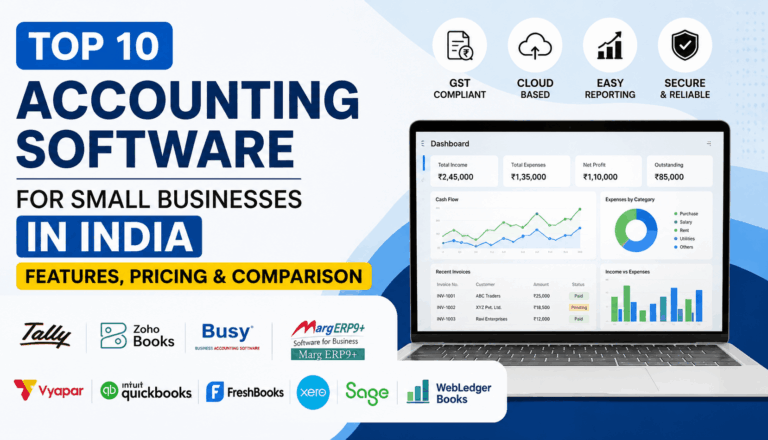
The following products represent different approaches to accounting and business management. The right option depends on your workflow rather than simply the number of features.
| Software | General approach | Useful for | Things to evaluate |
|---|---|---|---|
| WebLedger Books | Cloud accounting with GST, billing, inventory and business reporting | Small businesses, traders, wholesalers and businesses needing multi-business/branch workflows | Check whether its workflow matches your industry’s specific requirements |
| Zoho Books | Cloud native accounting platform | Startups, service businesses and growing SMEs | Plan limits, required modules and overall ecosystem fit |
| TallyPrime | Established accounting platform with strong Indian accounting and GST workflows | Businesses already working with Tally and accountant led setups | Cloud/remote access requirements and edition |
| BUSY | Accounting, GST and inventory oriented software | Traders, distributors and inventory heavy businesses | Edition, deployment model and required modules |
| Vyapar | Mobile and desktop billing/accounting focused software | Small shops and businesses wanting simpler billing workflows | Whether its accounting depth matches the business’s needs |
This is not a ranking. Each product is built around somewhat different workflows.
For example, TallyPrime provides GST configuration and connectivity with GST related workflows, while its documentation also covers online e-way bill generation.
Zoho Books takes a cloud native approach and currently offers accounting, GST, invoicing, inventory, banking, reporting and mobile access.
The better question is therefore not “Which software has the most features?” but “Which software fits the way my business operates?”
WebLedger Books: An Option for Cloud Accounting in India
WebLedger Books is a cloud accounting platform designed for businesses that want accounting, billing, GST and business operations in one system.
Its current product positioning includes:
- Cloud accounting
- Billing
- Dashboard and reports
- E-way bill and e-invoice functionality
- Multi-branch automation
- E-commerce automation
- Inventory management
The platform also supports workflows relevant to businesses that manage multiple businesses or branches.
For a trader or wholesaler, inventory is particularly important. Accounting software should not force the business owner to maintain one system for accounts and another for basic stock visibility if both can be handled together.
WebLedger Books is therefore worth considering when the requirement goes beyond simple invoice generation and includes accounting, GST, inventory and operational reporting.
That said, businesses should still evaluate the actual workflow, required reports, number of users, integrations and compliance requirements before selecting any accounting platform.
Which Type of Business Needs Which Features?
There is no universal feature checklist.
For service businesses
Prioritise:
- Invoicing
- Expense management
- Payment tracking
- Bank reconciliation
- GST reporting
- Profit & Loss
- Receivables
Inventory may not be important.
For traders and wholesalers
Inventory becomes much more important.
Look for:
- Stock tracking
- Purchase and sales management
- Outstanding reports
- Multi-branch support
- Low-stock visibility
- GST workflows
- E-invoicing and e-way bills where applicable
For retail businesses
Speed matters.
The software should make billing quick while keeping stock and accounting records updated.
For growing businesses
Think beyond today’s requirements.
You may need:
- Multiple users
- Multiple branches
- Role-based access
- Better reporting
- Inventory
- Automation
- Mobile access
- Integration with your accountant’s workflow
Buying the cheapest tool today can become expensive if the business has to migrate everything again after reaching the next stage of growth.
Illustrative Example: A Small Wholesale Business
Consider a small wholesaler that receives goods from several suppliers and sells them to retailers.
Initially, the owner maintains:
- Sales in one system
- Purchase bills in another folder
- Stock in Excel
- Customer outstanding in a separate spreadsheet
- GST information through another process
The problem is not necessarily the lack of accounting knowledge. The problem is that information is fragmented.
As transactions increase, the owner may spend more time checking whether stock, invoices, payments and accounting records agree.
A cloud accounting platform can bring these workflows into a connected system.
Lesson: When choosing software, look at the complete workflow rather than checking individual features one by one.
Cloud Accounting vs Traditional Desktop Accounting
| Factor | Cloud accounting | Traditional desktop accounting |
|---|---|---|
| Access | Internet based access from supported devices | Usually centred around local installation |
| Collaboration | Easier for distributed users | Often more dependent on local setup |
| Updates | Generally managed by the provider | May require software updates or maintenance |
| Backup | Typically handled as part of the cloud service | Depends more heavily on the business’s backup process |
| Remote work | Usually easier | May require additional setup |
| Internet dependency | Generally required | Can often work offline |
This does not mean cloud software is automatically better for every business.
If your business frequently operates without reliable internet, offline capability may be an important requirement. Likewise, businesses with established desktop workflows may value continuity more than moving immediately to a new platform.
Common Mistakes When Choosing Cloud Accounting Software
1. Choosing Based Only on Price
A low subscription cost does not necessarily mean lower total cost.
Consider users, branches, add-ons, migration, training and the time employees spend working around limitations.
2. Looking Only at Billing
Billing is only one part of accounting.
A tool may create attractive invoices but still be unsuitable if you need detailed accounting, reconciliation, inventory or reporting.
3. Ignoring Your CA or Accountant
Your accountant will ultimately work with the financial data.
Before switching software, confirm that the accounting workflow, reports and data export/import options work for everyone involved.
4. Assuming “Cloud” Means the Same Thing Everywhere
Check whether the product is genuinely cloud-native or simply a desktop application accessed through hosted infrastructure.
The distinction can affect accessibility, updates, integrations and the overall user experience.
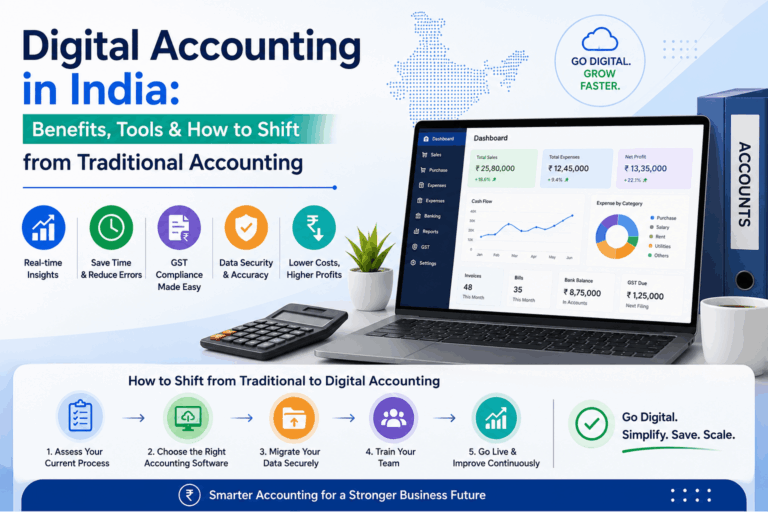
5. Not Checking Migration Requirements
Before moving software, find out:
- What historical data can be imported?
- Which reports can be exported?
- Can opening balances be transferred?
- What happens to inventory?
- Can existing invoices and customer records be migrated?
A smooth migration can matter as much as the software itself.
A Simple Checklist Before You Buy
Before choosing cloud based accounting software in India, ask these questions:
- Does it support the accounting workflows my business actually uses?
- Does it handle the GST requirements relevant to my business?
- Can I access it from the devices my team uses?
- Does it support multiple users and appropriate permissions?
- Do I need inventory management?
- Do I need multiple businesses or branches?
- Can my accountant work with the system easily?
- What reports are available?
- What happens if I need to export my data?
- What will the total cost be after users, branches, add-ons and taxes?
If you answer these questions before comparing prices, the shortlist becomes much clearer.
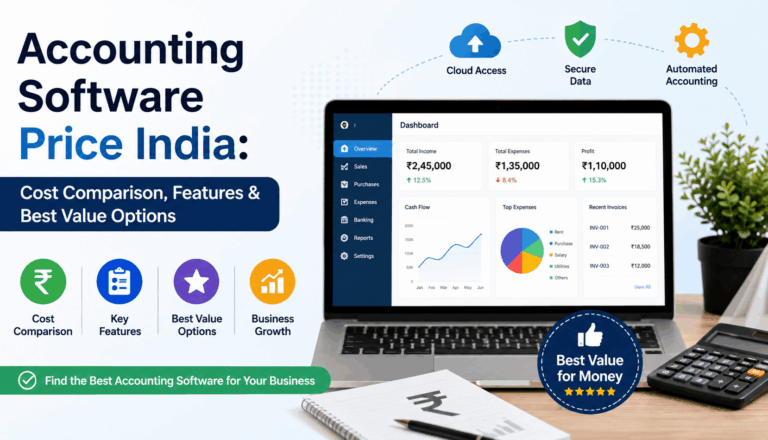
How Much Does Cloud Accounting Software Cost?
There is no single market price.
Pricing varies according to users, organisations, branches, features, billing frequency and add-ons.
For example, Zoho Books currently lists a free plan and paid India plans starting at Rs.749 per organisation per month when billed annually, while higher plans provide additional functionality.
WebLedger Books has its own plans and add-on structure, so businesses should check the current pricing and included features before purchasing.
The important point is to compare total cost against actual requirements, not just the headline subscription price.
Is Cloud Accounting Software Worth It for a Small Business?
For many small businesses, cloud accounting can be useful when remote access, collaboration, reporting and automation are important.
But software should solve a real operational problem.
If a business has very few transactions, no inventory, one user and simple bookkeeping requirements, an advanced accounting platform may provide more functionality than necessary.
As transaction volume, users, branches and compliance requirements increase, the value of connected accounting workflows generally becomes more relevant.
Choosing the Right Cloud Accounting Software
The best cloud based accounting software for small business is not necessarily the software with the longest feature list.
A better selection process is:
Business model → accounting needs → GST requirements → inventory → users → branches → reporting → accountant workflow → total cost
For a service business, accounting and invoicing may be the priority. For a wholesaler, inventory and outstanding management may matter more. For a growing company, multi-user access, reporting and scalability can become increasingly important.
WebLedger Books is one option for businesses looking for cloud accounting combined with billing, GST related workflows, inventory, reporting and multi-branch capabilities.
The right decision is the platform that fits your actual workflow today while leaving enough room for the business to grow.